CallKeet logo CallKeet
VoIP app · iOS & Android

Your landline,
always with you.

CallKeet turns your smartphone into a complete softphone. Make and receive calls with your fixed or business SIP line anywhere, with high-quality audio and push notifications.
  • No account required
  • HD audio
  • Push notifications
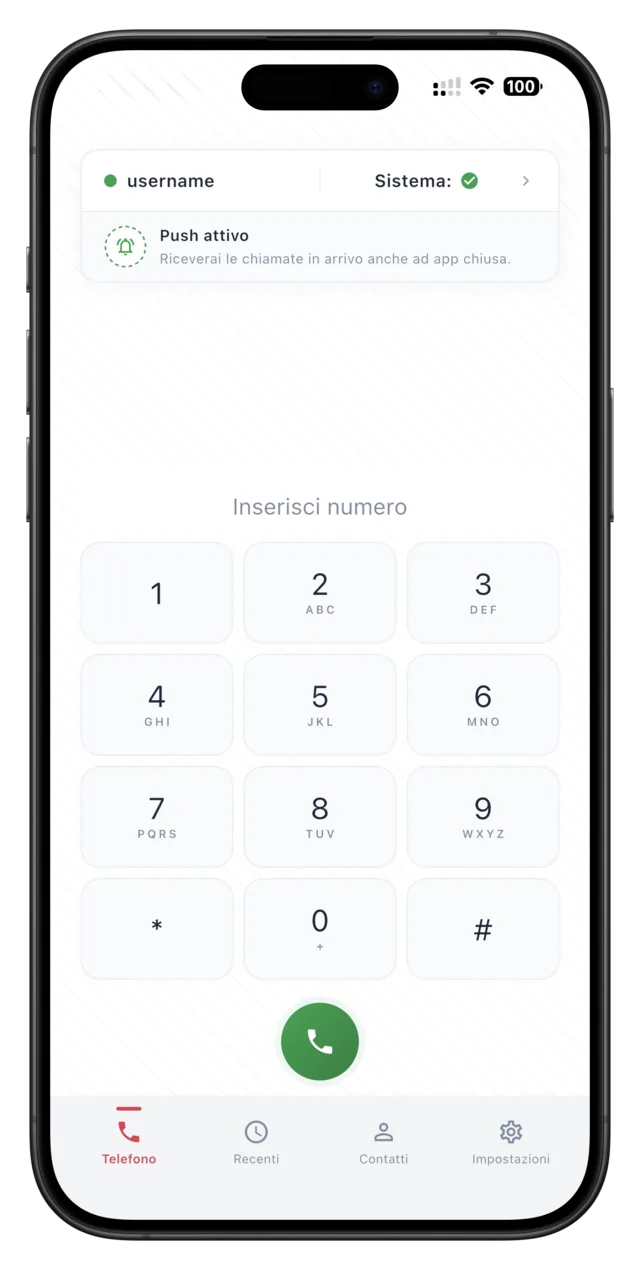
CallKeet app dialer on a smartphone
SIPWorks with any provider
HDOpus, G.711, GSM codecs
TLS / SRTPEncrypted calls
iOS · AndroidNative interface

Why choose CallKeet

Everything you need to use your VoIP line from your smartphone, in one lightweight, fast app.

No account required

Use your provider's SIP credentials directly. Enter the details or scan a QR code and you're ready to go — no sign-up, no middlemen.

Crystal-clear audio

Opus, G.711 (PCMA/PCMU) and GSM codecs with configurable priority. Adaptive audio quality based on your network, on WiFi and mobile data.

Built-in security

TLS transport for SIP signaling and SRTP encryption for audio. Passwords stored encrypted on your device.

Push notifications

With CallKeet Pro you receive incoming calls via push notifications even when the app is closed — without keeping it open and without draining the battery.

Contacts & history

Call from your phone's address book and browse the full history with filters for outgoing, received and missed calls, plus quick search.

iOS and Android

Native interface on both platforms, full-screen call screen and integration with Bluetooth headsets and CallKit.

See the app

A clean, immediate interface: from the dialer to the call history, everything at your fingertips.

CallKeet dialer to compose a number
Dialer
Ongoing call screen on CallKeet
HD call
Recent calls history with filters
Recents
SIP account setup in CallKeet
SIP account
CallKeet app settings
Settings

Up and running in three steps

From setup to your first call in under a minute.

1

Download the app

Install CallKeet for free from the App Store or Google Play.

2

Enter your SIP line

Type your provider's credentials or scan the configuration QR code.

3

Call anywhere

Make and receive calls with your fixed or business number, from any network.

Standard or Pro, your choice

All calling features are free. Pro adds push notifications so you never miss a call.

Standard

Free

  • Incoming and outgoing calls
  • HD audio and all codecs
  • Contacts and history
  • Requires the app active in the background
Recommended

Pro

Push notifications

  • Everything in Standard
  • Calls even when the app is closed
  • Rings on the lock screen
  • Zero battery drain

Ready to take your line everywhere?

Set up your SIP account in seconds and start calling. Free on iOS and Android.

Frequently asked questions

What is CallKeet?
CallKeet is a VoIP (Voice over IP) app that lets you make and receive calls using your SIP line directly from your smartphone, wherever you are. It works with any VoIP provider that supports the SIP protocol.
Do I need a VoIP/SIP provider?
Yes. CallKeet works with the SIP credentials provided by your VoIP provider (e.g. ItaVoIP, 3CX, Asterisk). The app does not provide a number of its own; it lets you use your existing fixed or business number.
What's the difference between the free and Pro versions?
The free version (Standard) includes all calling features but requires the app to stay active in the background to receive calls. With CallKeet Pro, incoming calls are delivered via push notifications: the app wakes up only when needed, with zero battery drain and maximum reliability.
Are calls secure?
Yes. CallKeet supports TLS transport for SIP signaling and SRTP for audio encryption. Credentials are stored encrypted on the device (Keychain on iOS, EncryptedSharedPreferences on Android), and communication with the push server happens only over HTTPS.
Can I receive calls when the phone is locked?
Yes, with CallKeet Pro. Thanks to push notifications, when a call comes in the device wakes up and shows the full-screen incoming call, even on the lock screen. In Standard mode the app must stay active in the background.
Which audio codecs are supported?
CallKeet supports Opus (high quality, efficient), G.711 PCMA and PCMU (maximum compatibility) and GSM. You can configure codec priority for each account.
Which platforms is it available on?
CallKeet is available for iOS on the App Store and for Android on the Google Play Store.